Technical Skills
Portfolio
Trends and developments
Iterative process
Interactive prototypes
Target group
Group project
Trends and developments
Iterative process
Interactive prototypes
Target group
Technical Skills
Trends and developments
Iterative process
Interactive prototypes
Target group
Trends and developments
Iterative process
Interactive prototypes
Target group
The theme I chose for my portfolio was Sword Art Online, as it is one of my favorite anime and one of my favorite game serie to play. For the style of my website I did research and also my own prototyping. What I want to develop more in this learning outcome is how to have a website that is unique but also easy to navigate.
To learn more about the design I wanted to use I did some research on the Sword Art Online website to see how they did their layout. I ended up getting my inspiration from how they did the layout on their website for there being the selecions on the left and then the content that will be shown on the right in it's own section. And also the way there is an image in the background and the content being placed and displayed on top of it. As the image in the background is the main part of the website I made the content boxes a bit transparent so that you are able to still see the image but not that it completely distracts you from the content on the website.
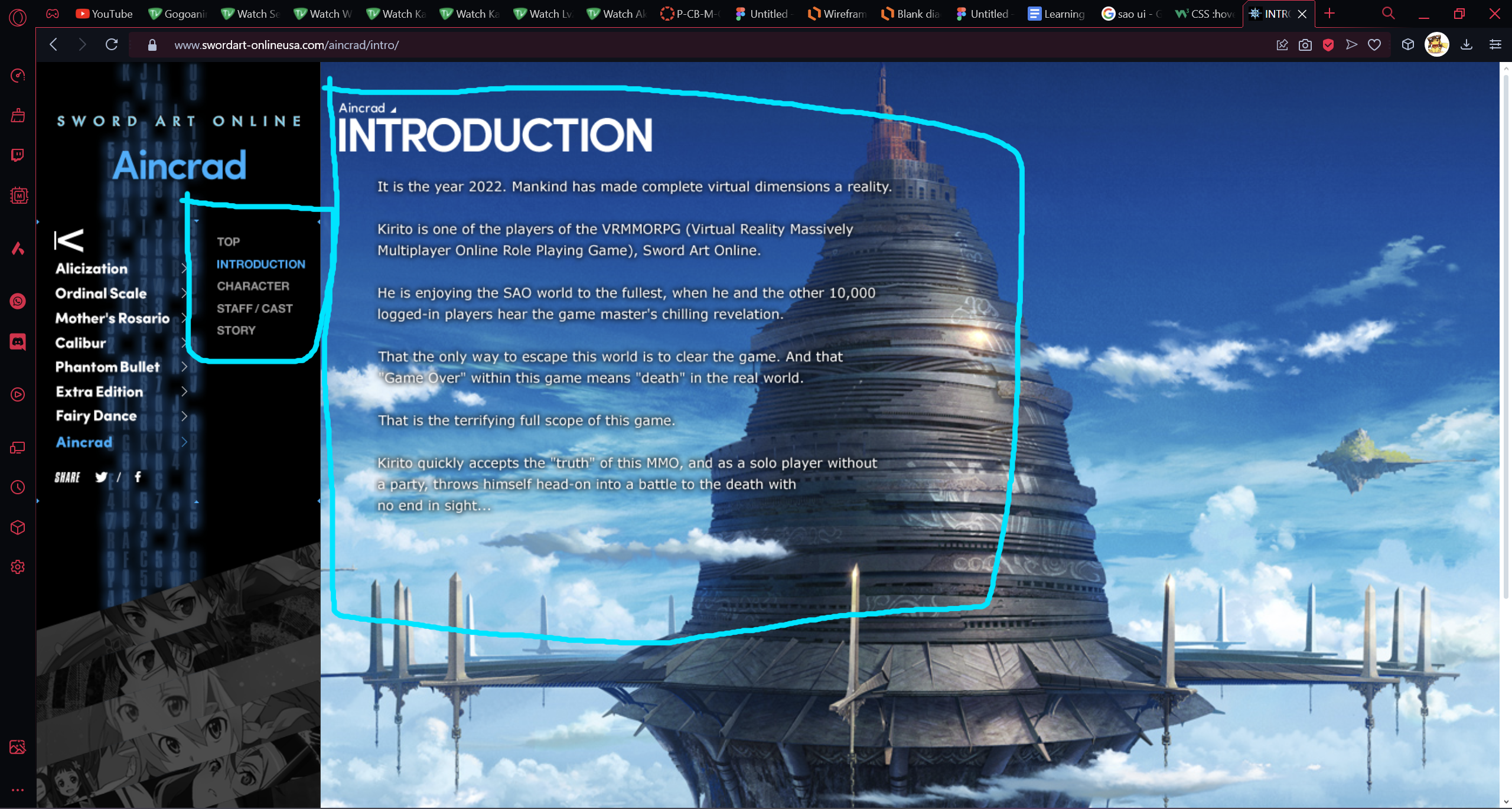
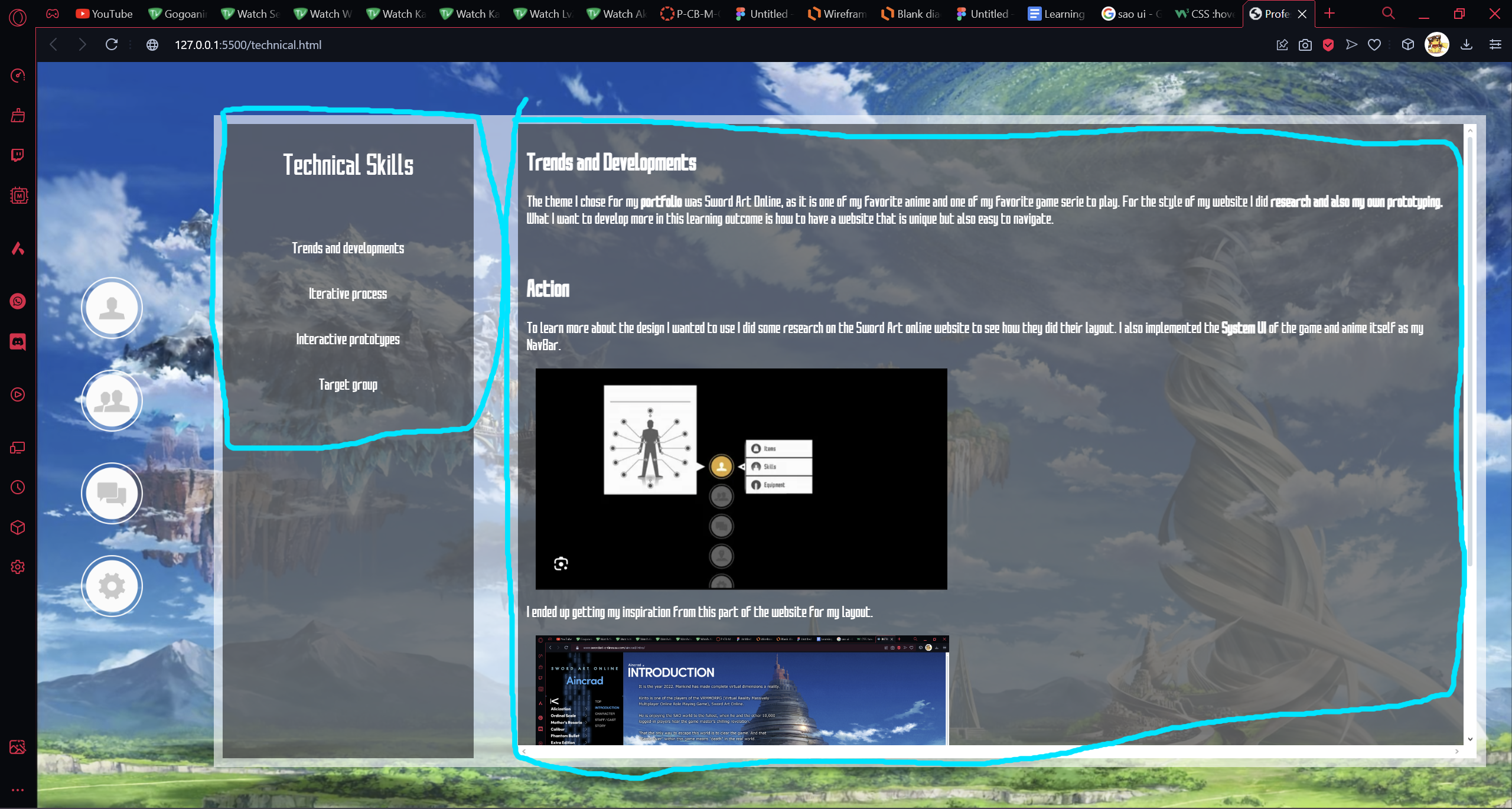
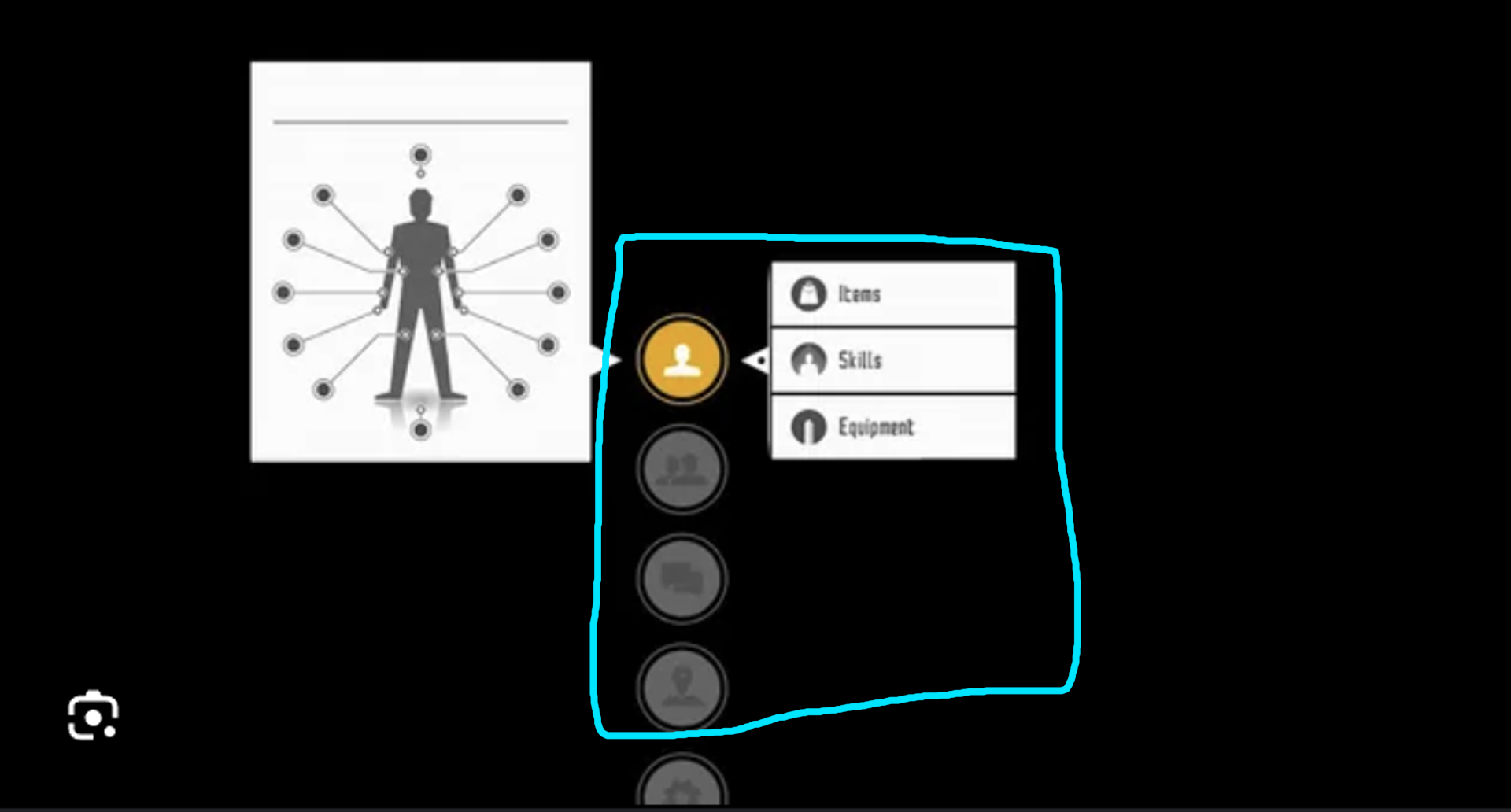
I also implemented the System UI of the game and anime itself as my NavBar. I will be changing the icons so they make more sense with my website.
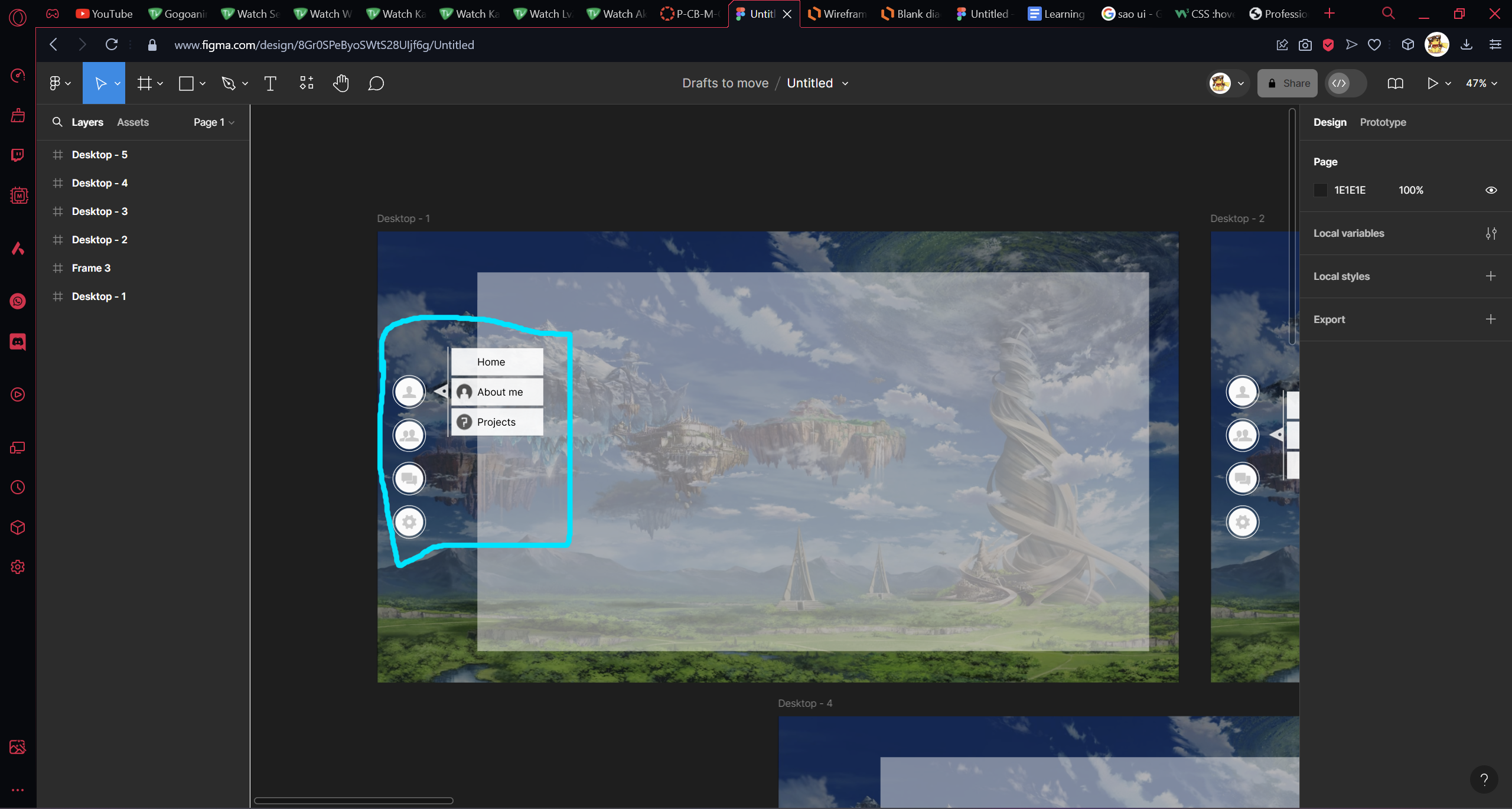
The feedback I received from some teachers for my layout is that it's simple but good enough for now, also to explain why I used certain aspects in my design. Some other feedback I got in the beginning was that some ideas I had were too much and would also be difficult to code so I should not implement them for now. Feedback was also asked from my peers and they said that it looked nice.
I agree with the feedback I received about it being more on the simple side but I will leave it like that for now as I don't have much experience coding. And due to not having much experience I will also try not to implement the more complicated designs/features I wanted to use at first for my portfolio.
The next time I will focus more on the basics first instead of the more complicated stuff and then if I have time later on I will try to learn more about the more difficult parts of coding.
When it comes to making a product there are a lot of steps taken when designing it, for example wireframes, digital prototypes and paper prototypes. Throughout the development of a product, feedback will be asked multiple times and changes will be made to your wireframes or prototypes. This happens multiple times, and each change made to the wireframe or prototype is called an iteration. In this section I will talk about how this was used for my Portfolio.
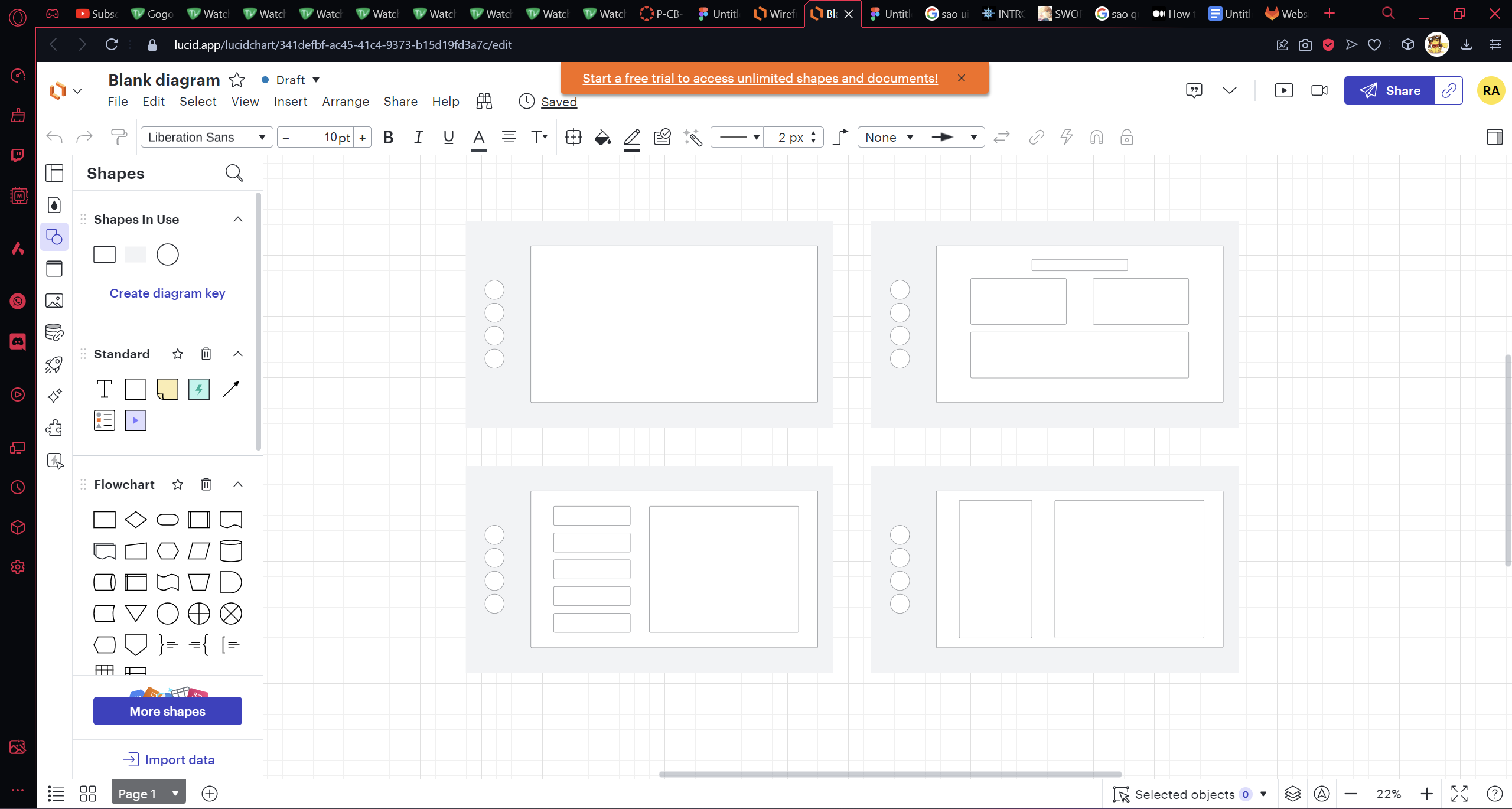
I started with making a wireframe and sketch for 2 designs for my portfolio. The wireframes were made in Lucid.app and Figma.com. The sketches I made in Clip Studio Paint. This is the first design I had in mind which was my initial design idea. Some changes where made with the design between the sketch and wireframe.
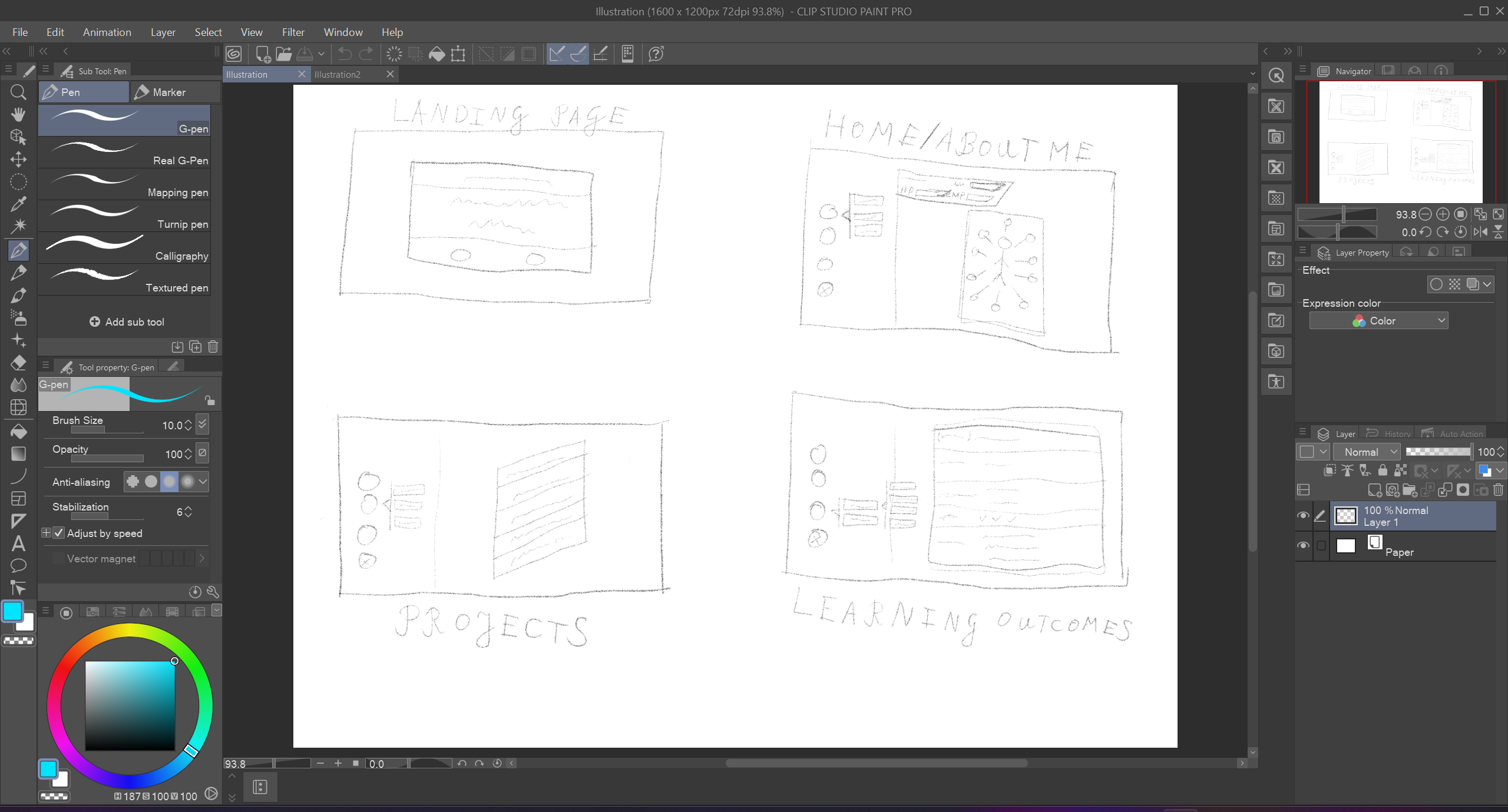
This one was the second design I made.
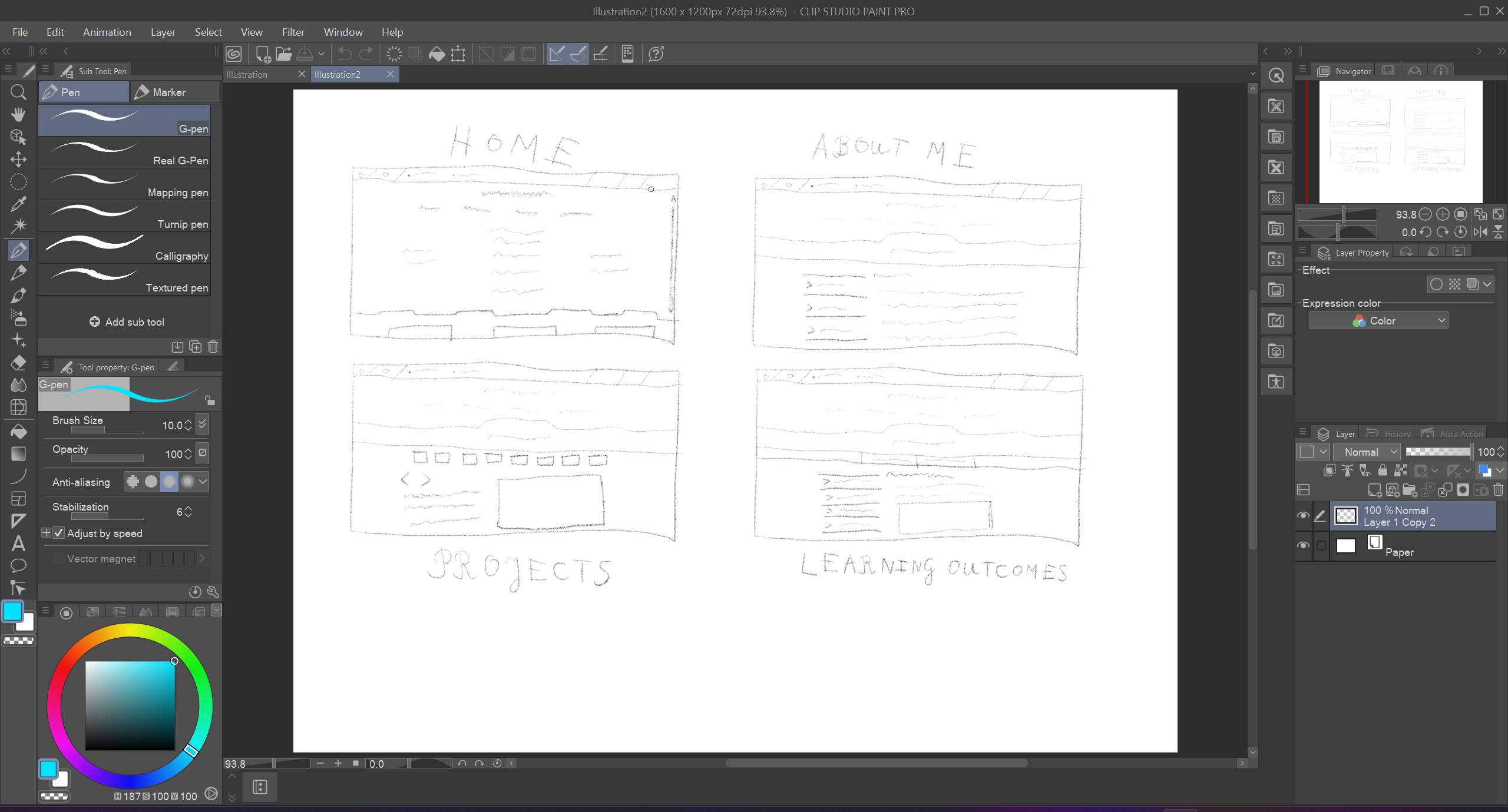
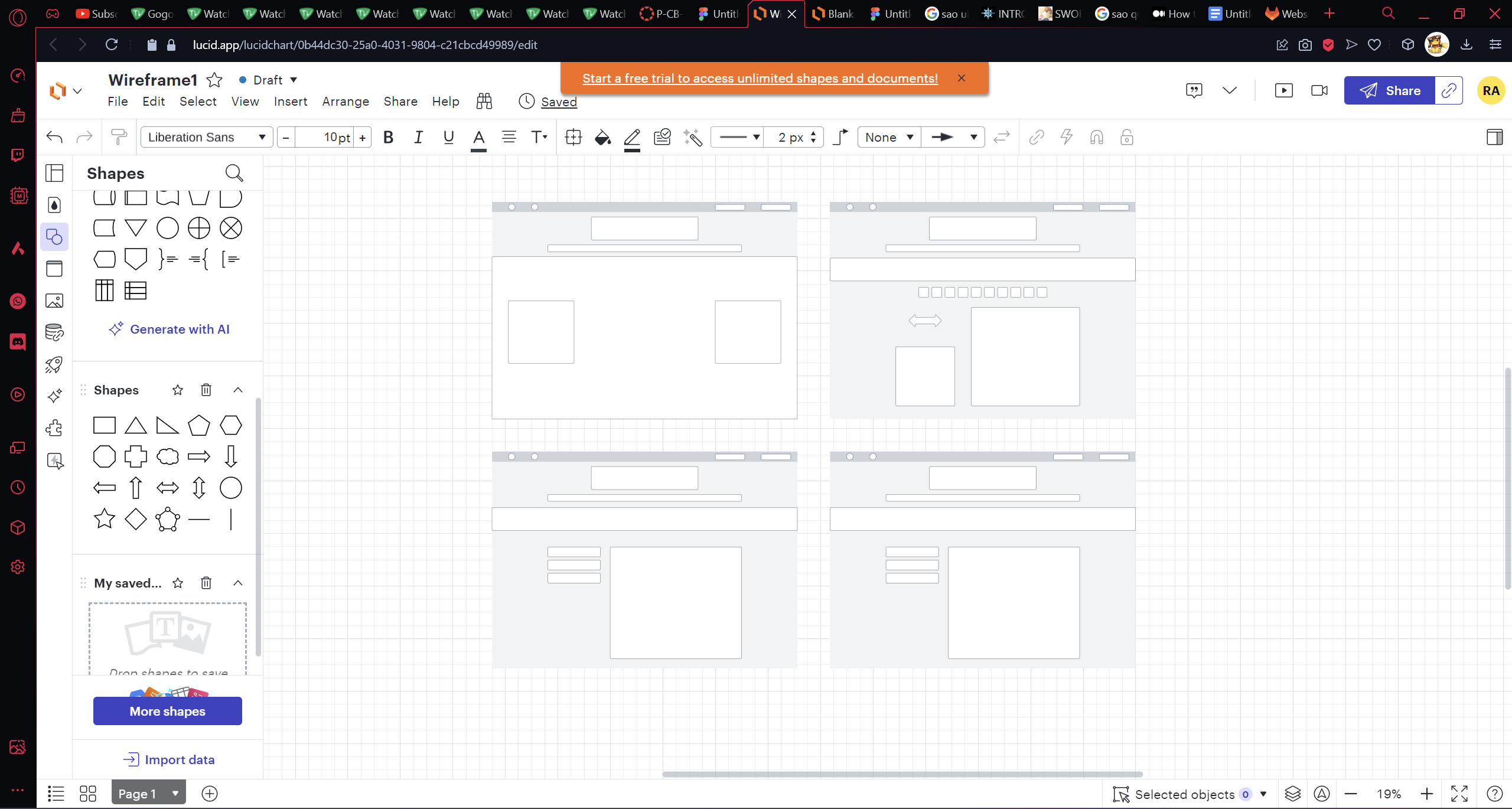
I ended up using the first design as it was easier for me to code and I liked it more. For the wireframe of the first design I made changes like fixing it to make it look more like a wireframe by using proper elements. I also changed the design of the project page.
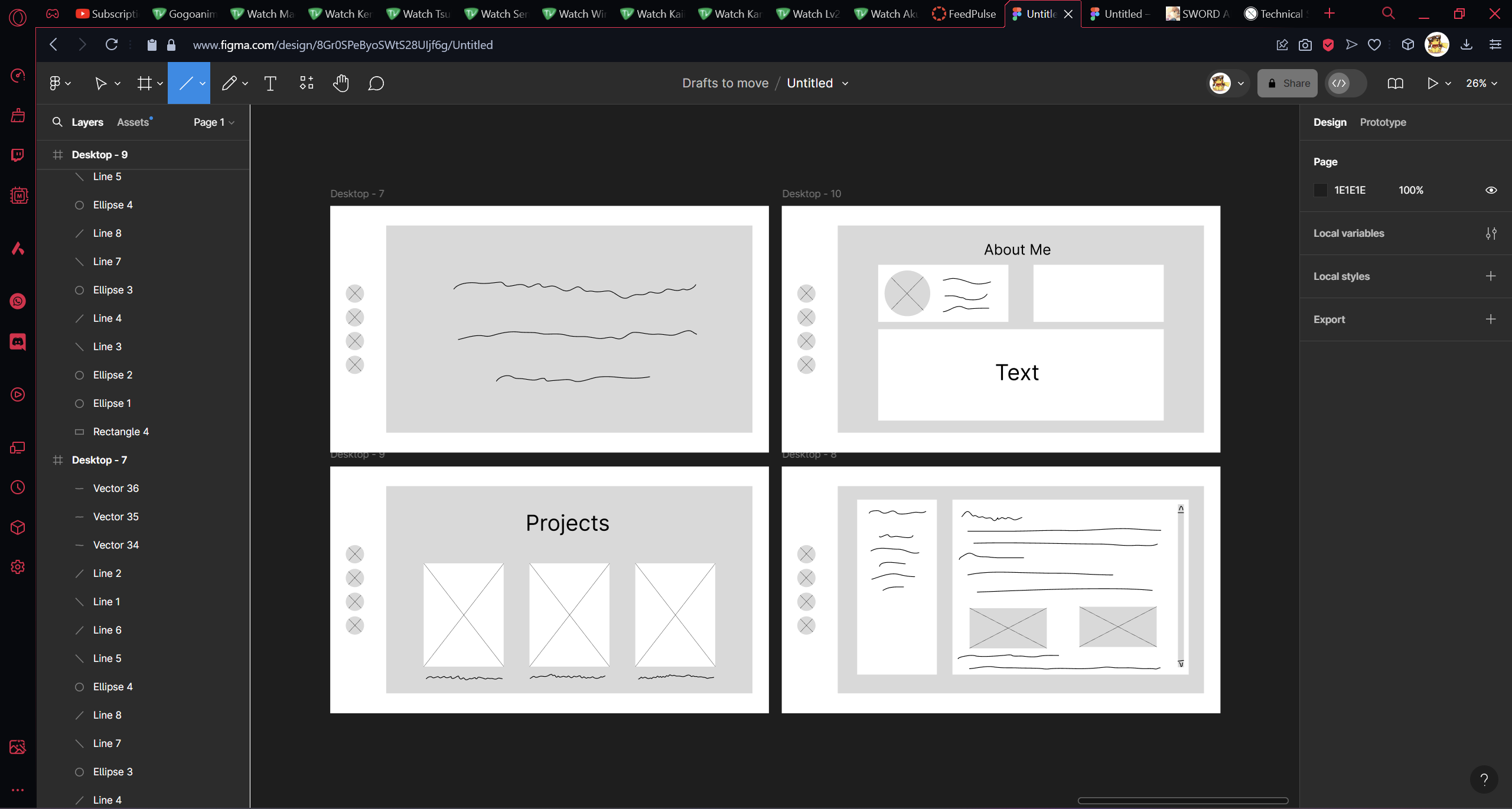
The feedback I received for these 2 designs was that the first one was going to be complicated to code as slanted boxes are hard to do in HTML/CSS (hence the reason for the changes between the sketch and wireframe). I needed to do more research on wireframe elements so I could make better wireframes.
I do feel like I could have done way better with my wireframes if I started earlier on them and as said in the feedback, to do more research. But this was a good learning experience for me.
The next time I will make sure to do more research and implement the things I have learned this time around.
After coding the layout of my portfolio I started working on the Learning Outcomes page. After going to Lody for his opinion on how it looked, he told me about some changes I could make. One of them was that the text in the right box was hard to read so I took away the black background and changed the text to white.
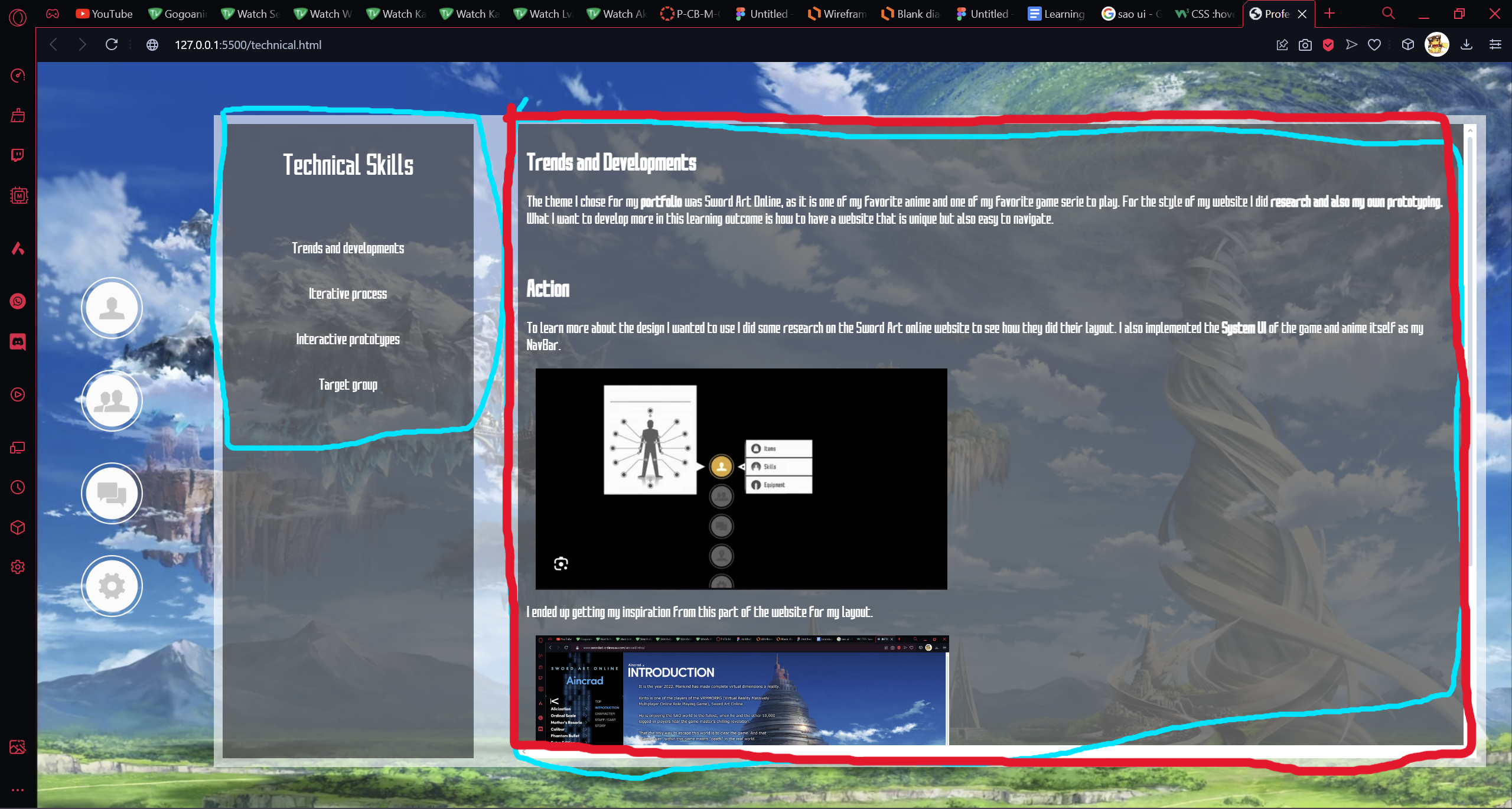
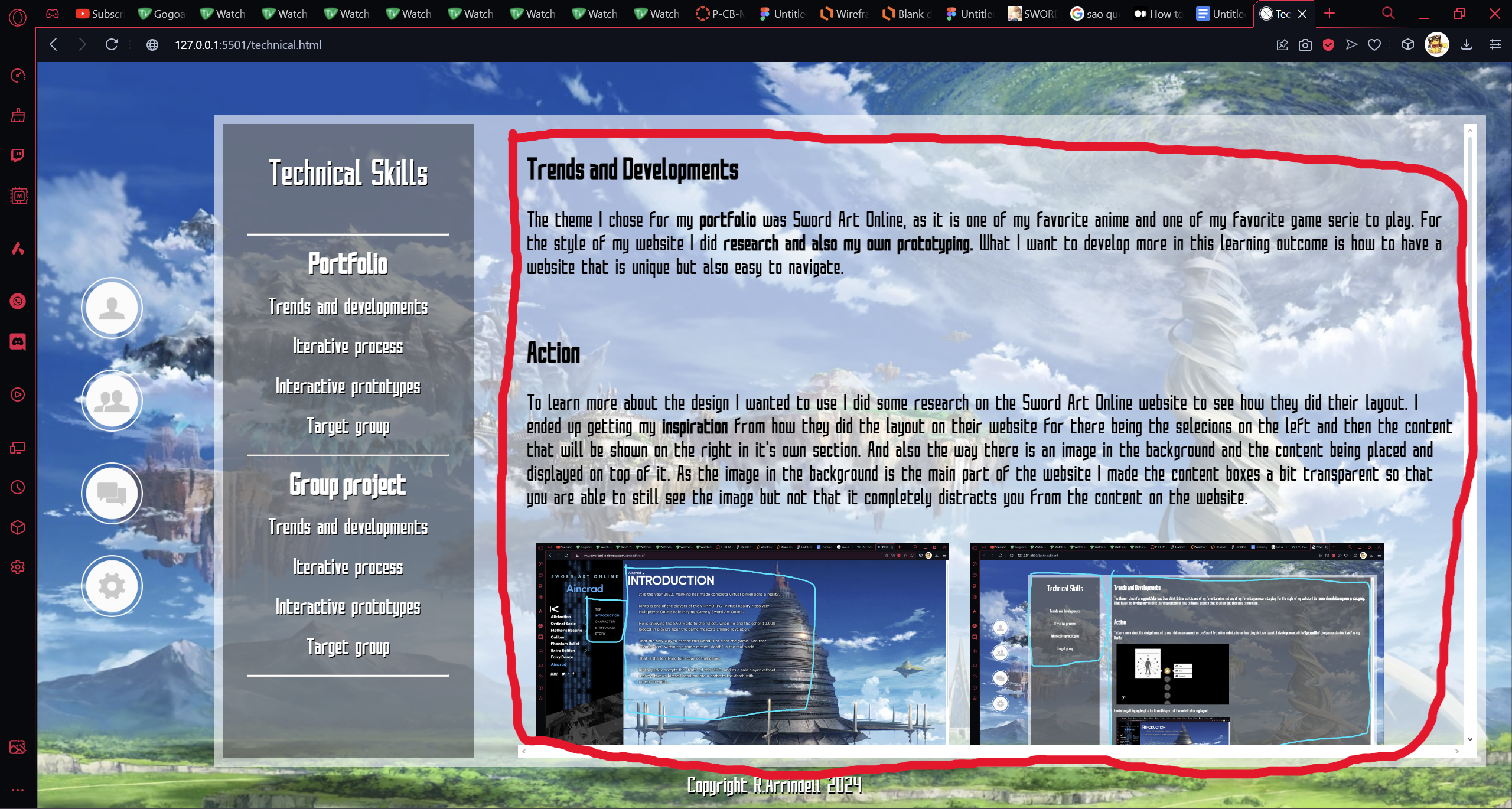
Another change he suggested was to change the icons on the left to make it fit better with my Portfolio. As the icons mean Single-player, Multiplayer, Community and Settings respectively, it doesn't make sense for these to be in my Portfolio. So I changed them to make them so the icons fit better.
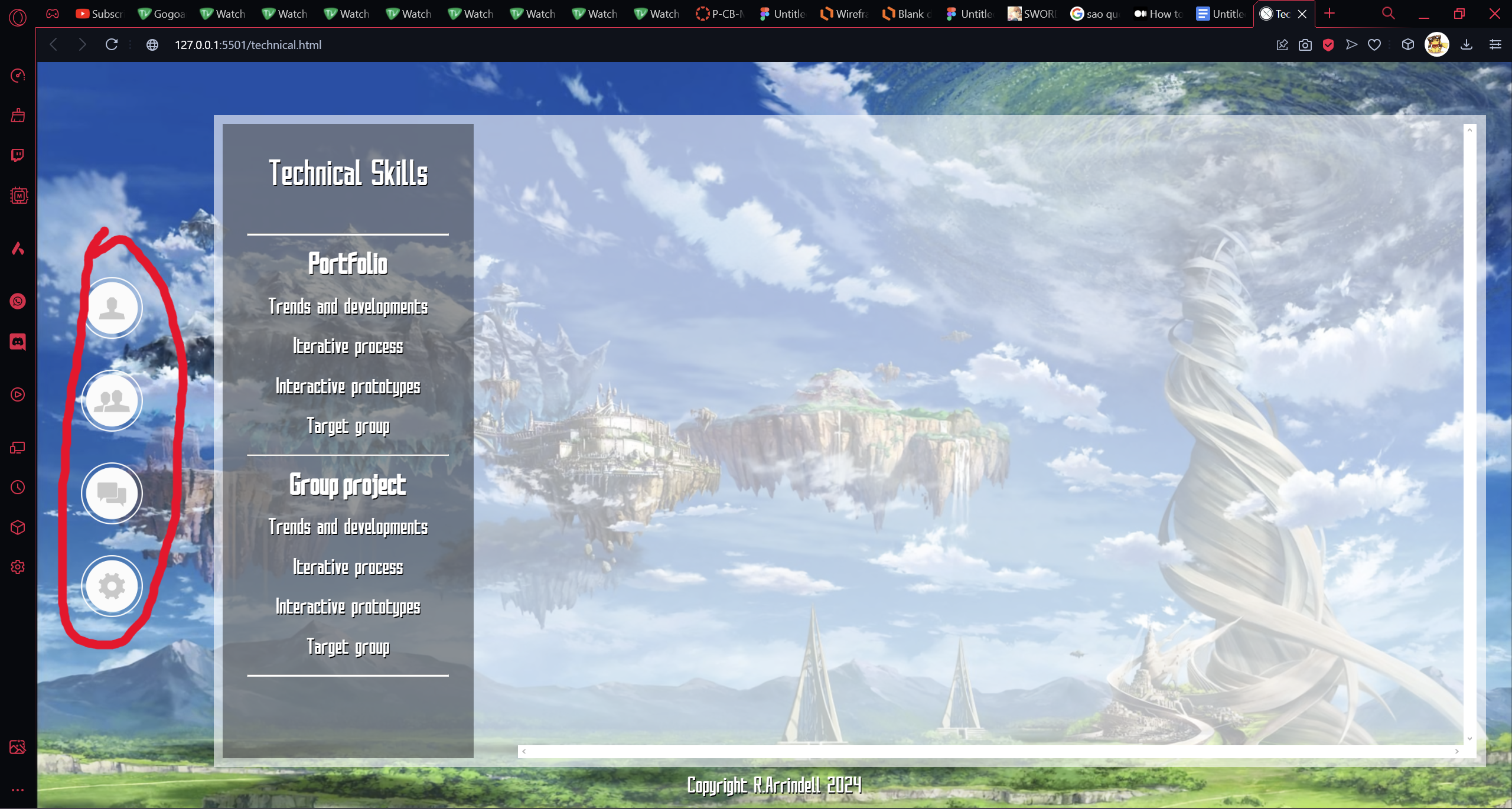
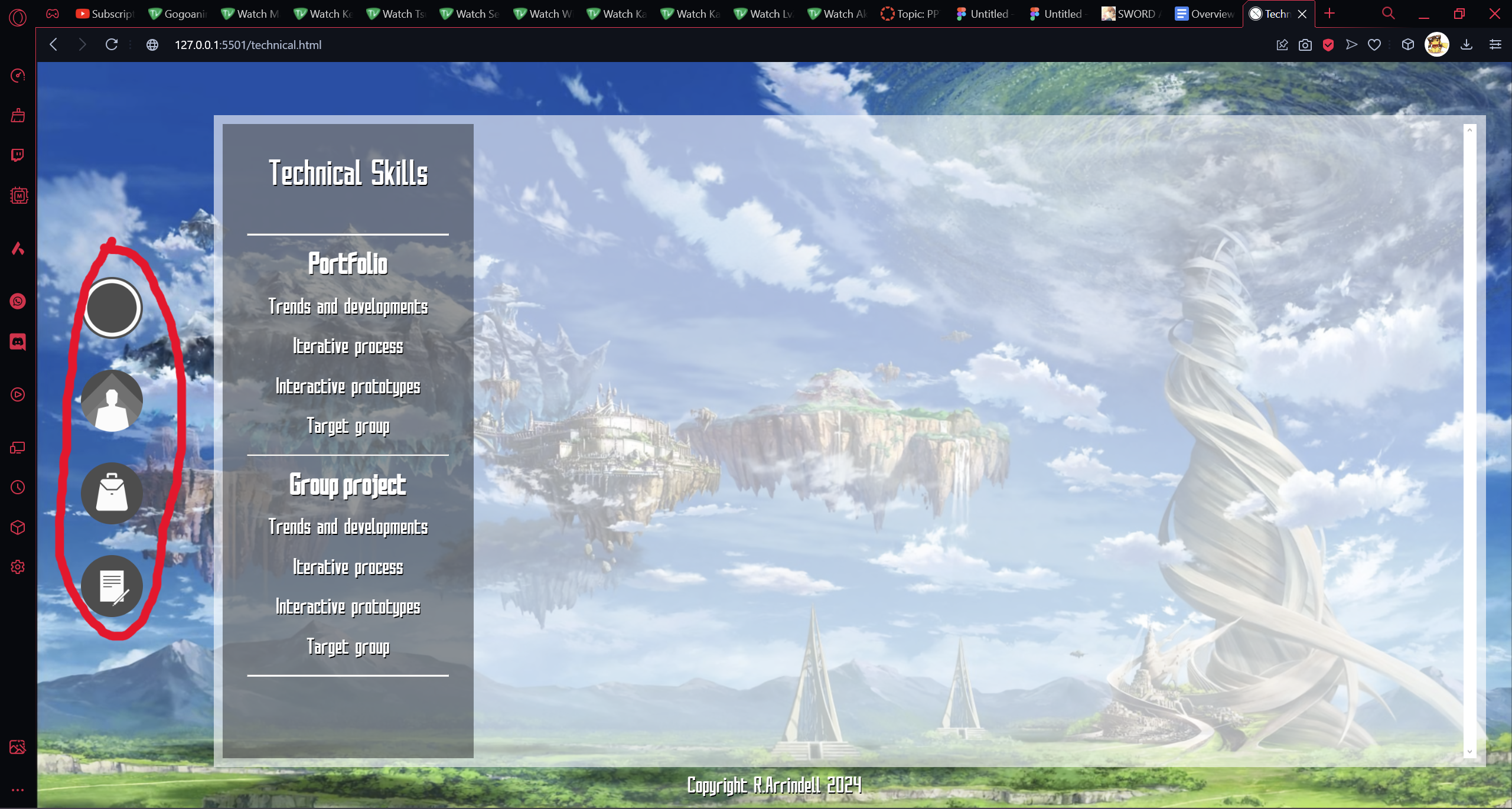
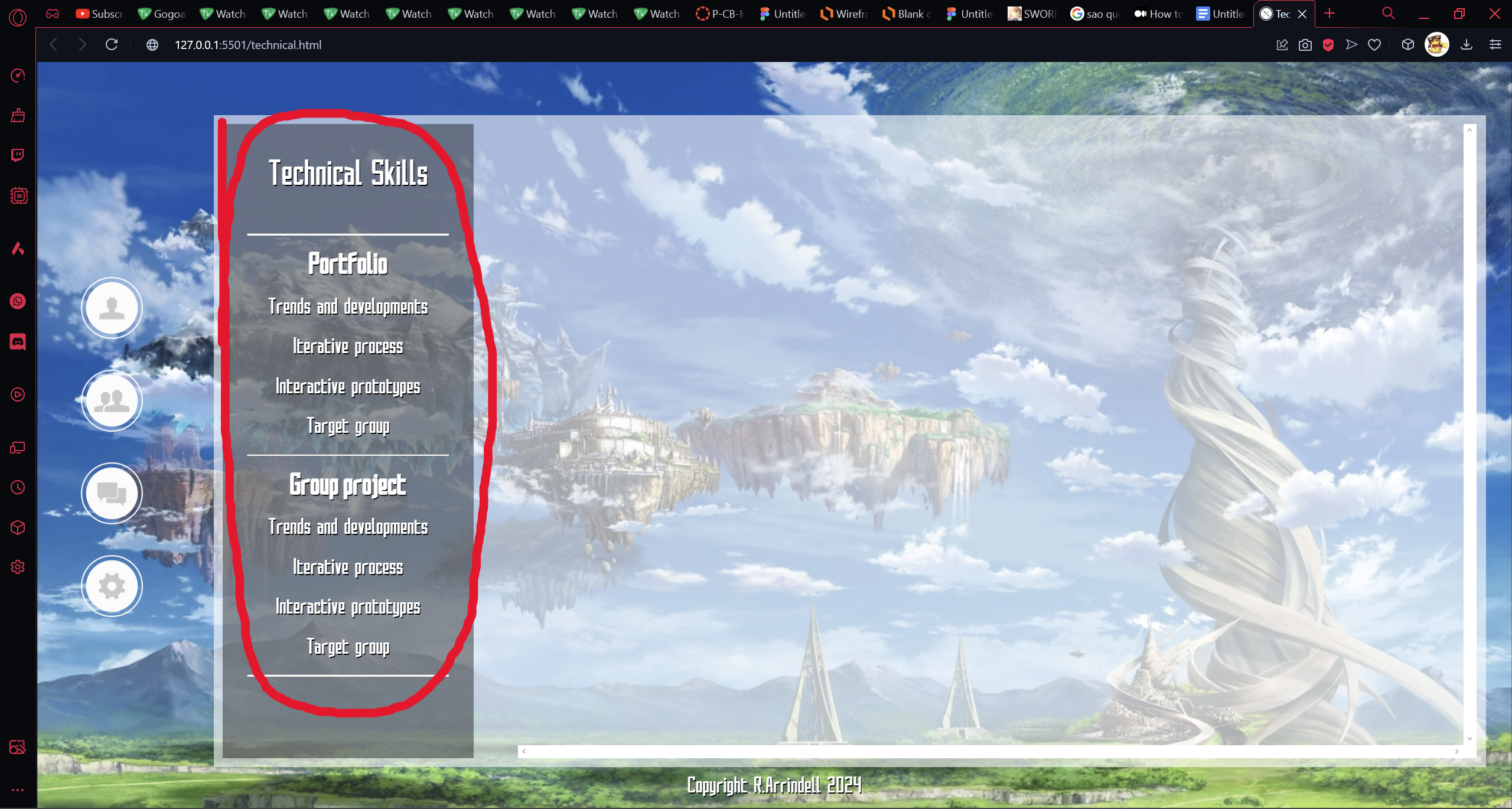
I also asked Dirk for his opinion and he suggested I add a part for the Portfolio and a part for the Group Project.
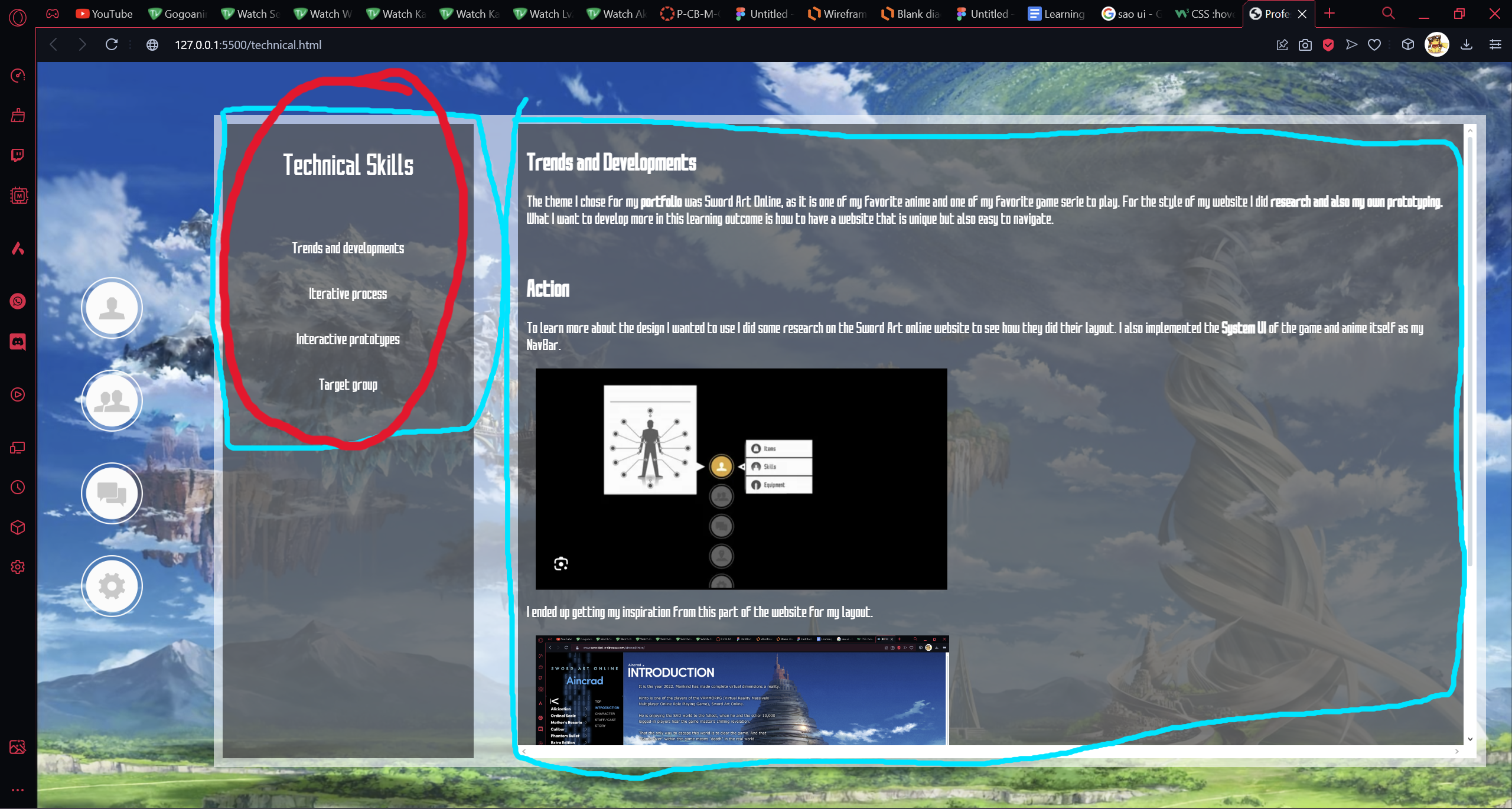
As mentioned in the section above I received both feedback from Lody and Dirk about changes I could make. This is the feedback I received from Lody.
I could have done way better if I asked for more feedback so that's my own fault. But the process of making changes to my Portfolio I find really fun to do, as it is interesting to me to hear about what other people think of my design and know what their point of view is. I also learned how some really small aspects can affect how good or bad the design's outcome can be.
In a similar situation I would ask for more feedback as I feel like I would have a better product if I did. But for the rest there's not much I would do differently.
As mentioned in Iterative Process, there are a lot of steps taken when making/designing a product. One of these steps is Interactive Prototypes. Interactive Prototypes are prototypes of a product which a person can interact with. For example a website, you would have a digital prototype that is able to navigate through your website via buttons, or a paper prototype that can be simulated as your website by giving the user tasks to follow. Further you will read how I used this Learning Outcome in my Portfolio.
Using Figma I made an Interactive Prototype of my Portfolio which simulates simple navigation. You can go and try the prototype yourself by clicking the image below.

I received feedback from my peers and they had no trouble navigating through it.
I am very happy with how the Prototype came out and it was fun to make it in Figma. I ended up learning some features in Figma that I didn't know of like being able to hover over an element and it displaying what I wanted it to display.
The next time I want to try making it more fun to interact with instead of just clicking, so maybe have animations and more features that can be used. So making it more interactive.
Being able to know who you're making your product for is an important step to have a successful product. By doing surveys, interviews and research you can find out more information on your Target Group and implement changes in your product to fit this Target Group. If you are interested in how I found my Target Group for my Portfolio, please continue reading.
As the Portfolio was made for me and the teachers there is not much I had to do in this sense, as making a survey is not that helpful since I already know my Target Group. But of course research was done and feedback was asked from the teachers to have my design fit my Target Group. One of the things that I did have fit the teachers tastes was the layout for the Learning Outcomes content.
I asked Dirk, Lody and Chris on how the layout of my Learning Outcomes was and they liked how it looked.
For my Portfolio I already knew who my Target Group is so there wasn't much I could do on this Learning Outcome but I did learn that getting feedback from your Target group is also a great way to take their interest and implement them.
In a similar situation I will make sure to ask the opinion of my end user more so I can implement their needs and interests better into my product.
Making a good website always comes down to the designing and the user friendliness. By of course doing research about competitors in the same subject you can find out what works and what doesn't. The theme chosen for the Group Project was a delivery service for coffeeshops. Read further to find out what my part was in the Group Project.
I helped with doing research on our competitors like Thuisbezorgd and Uber Eats to see how they did the design for their websites and use that as inspiration for the group project. The images were added in a group figma so everyone could see what to base the design off of. Since they are 2 of the most used delivery services here in the Netherlands not many changes was done to their own design as it was a design that works seeing as how they are used a lot. Click the image below to explore the Figma for our group project.
The feedback received was that the design of the website was good and the color palette used also matched the theme of the group project.
I am happy with how the design came out and we had a unique theme but I would have loved for it to be more polished design wise.
The next time I would like to be more involved in the group project as I mostly helped with things instead of having a part just for myself to do.
When it comes to making a product there are a lot of steps taken when designing it, for example wireframes, digital prototypes and paper prototypes. Throughout the development of a product, feedback will be asked multiple times and changes will be made to your wireframes or prototypes. This happens multiple times, and each change made to the wireframe or prototype is called an iteration. In this section I will talk about how this was used for the Group Project.
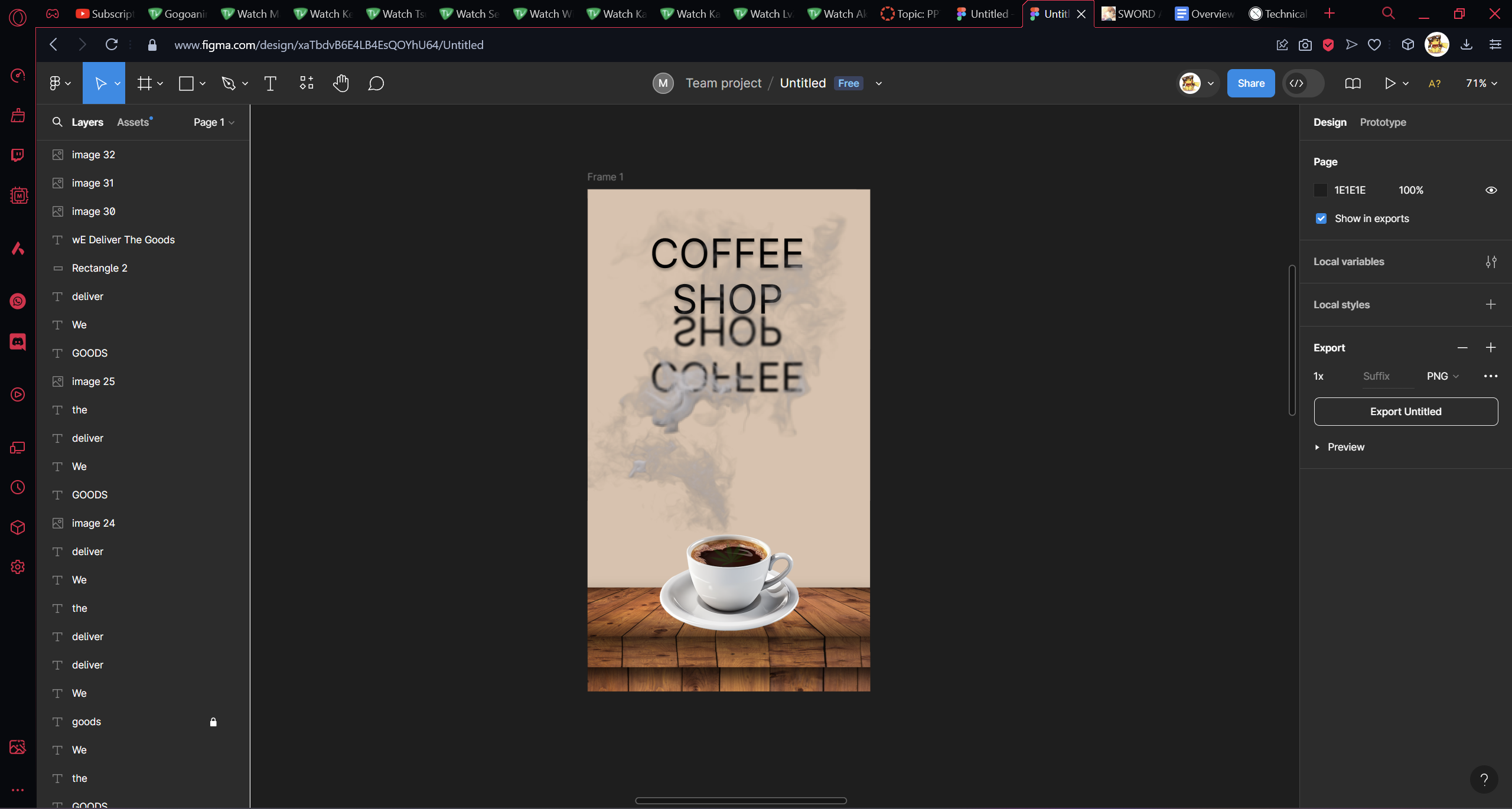
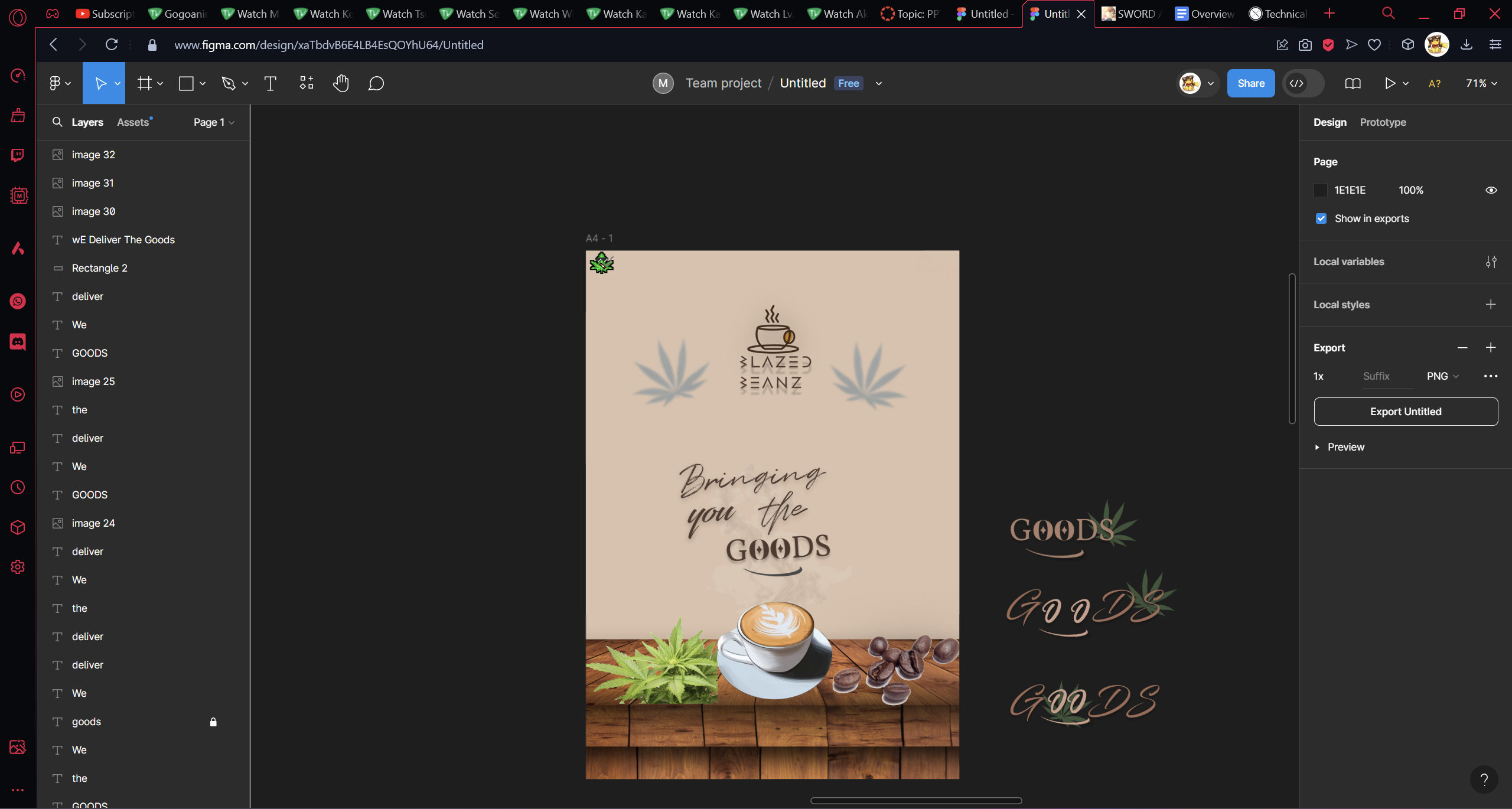
We had an assignment given to us in class to make a poster for our group project, this was the initial poster design that I came up with but after discussing with the group and getting their opinions the design was changed to a poster that I'm pretty happy with how it came out.
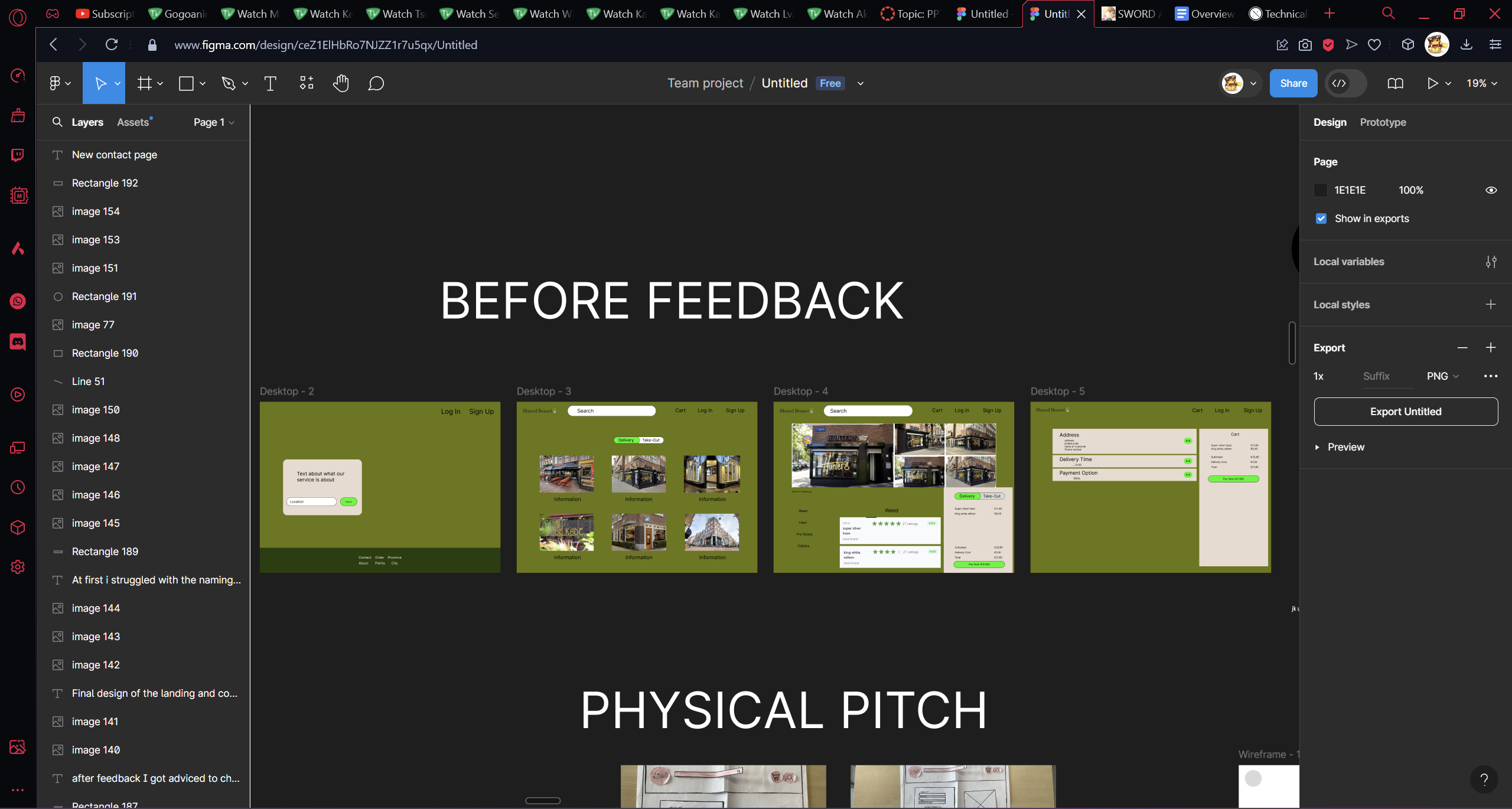
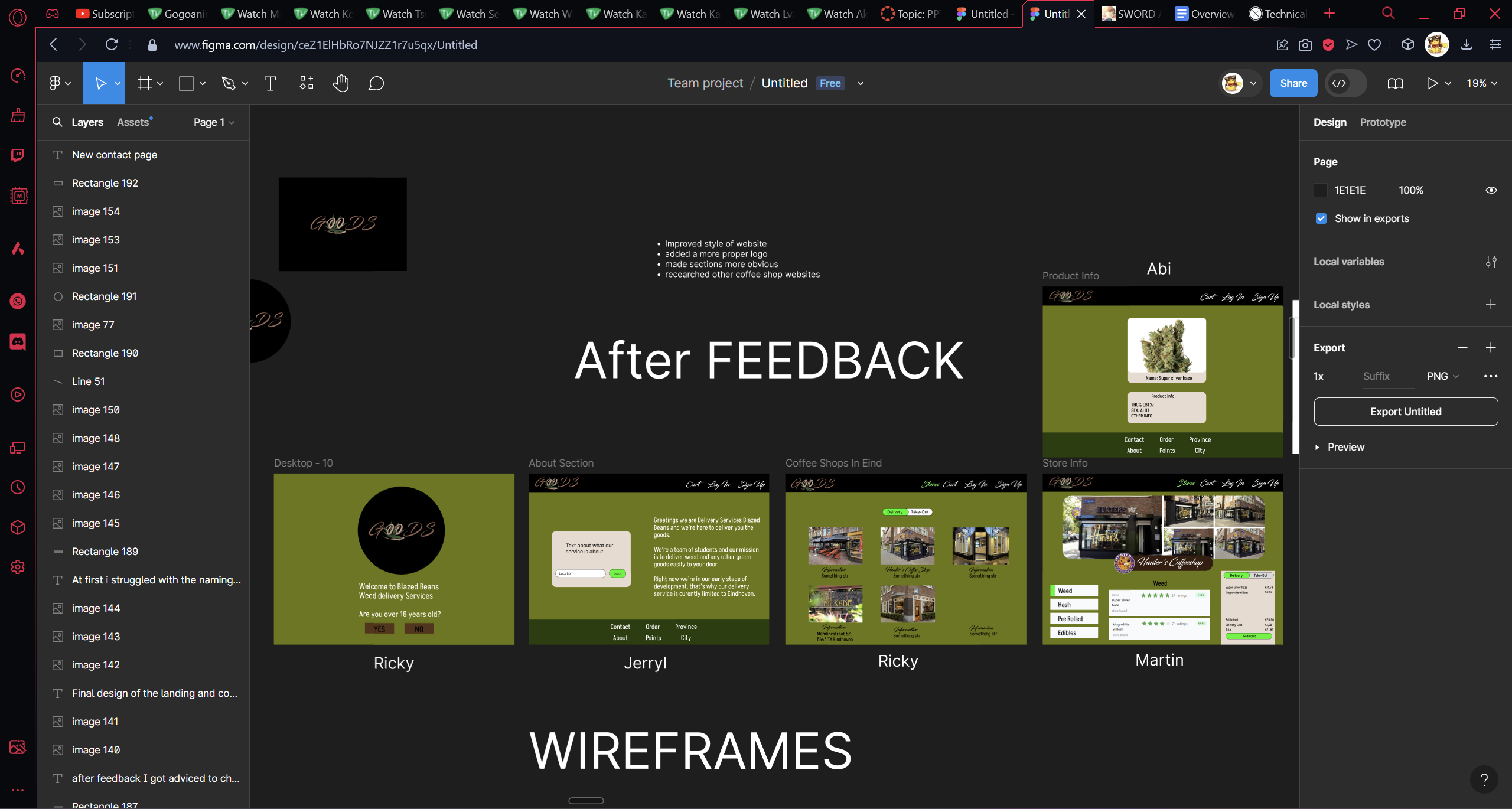
There were multiple designing aspects done in the group figma like the wireframe and the design for the website itself. The website design was shown to some teachers and changed after the feedback received.
I worked on the paper prototype. After the user testing some changes were suggested like the button to select if you wanted it to be delivery or pick-up should not be in the nav bar but above the shops and there was a section to the right of the products that was meant to be the payment but it didn't make sense since it redirected them to the payment page. So it was removed from the products page and left only on the payment page (sadly I don't have a picture of the paper prototype before the changes were made).
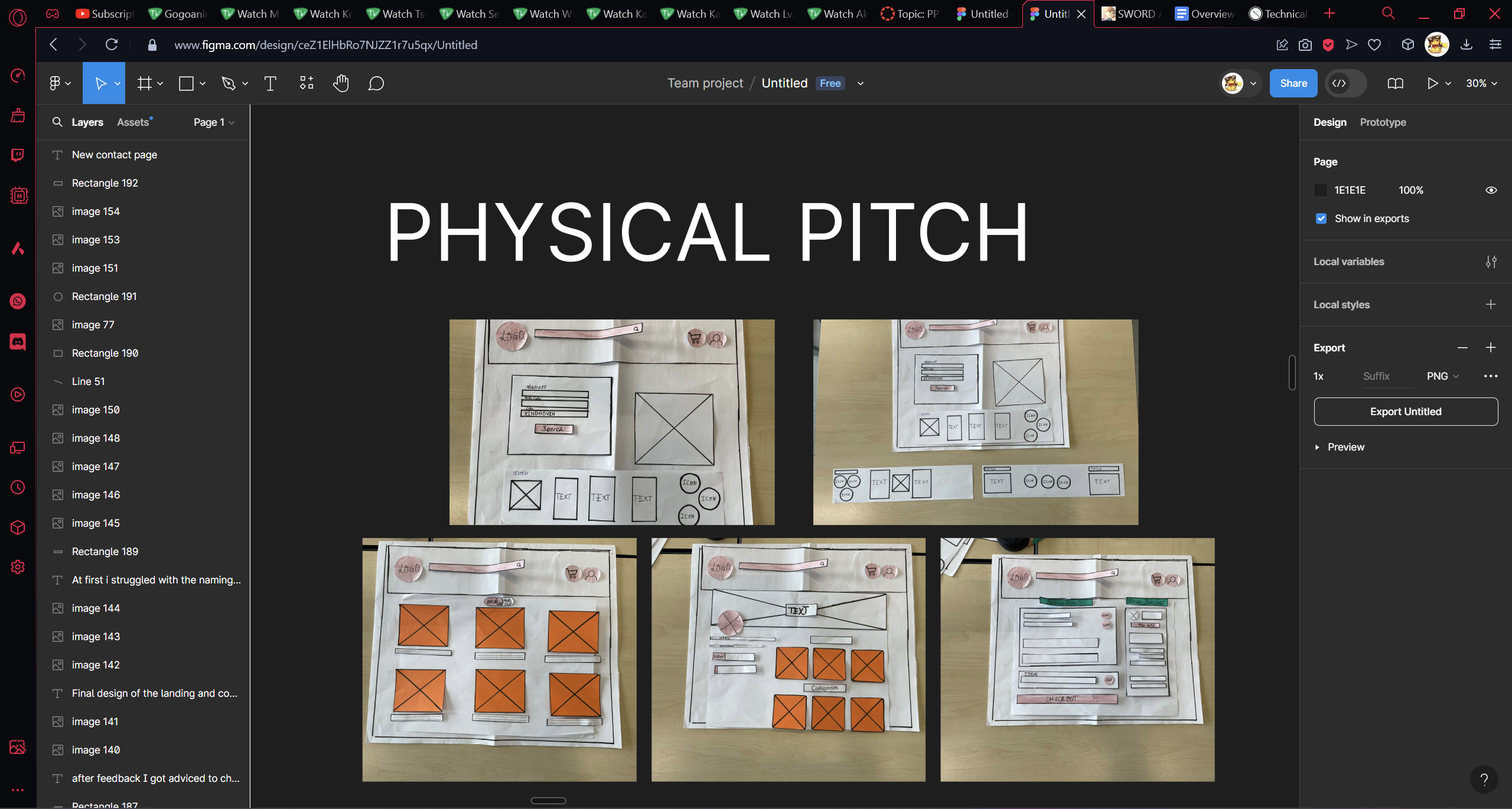
Another change that was suggested and that was implemented was that instead of that payment part next to the products, it be changed to a cart where you can edit it when you want (like removing a product or adding more of it).
The feedback received was as mentioned above the part about the cart and also about the uncertainty of the users not knowing that some buttons were buttons.
I learned a lot about how important it is to get the opinion of others on your product but I am happy with the progress I have made towards this Learning Outcome. I do still wish I did more.
The next time I will do my best to ask for more feedback so I have a better end product.
As mentioned in Iterative Process, there are a lot of steps taken when making/designing a product. One of these steps is Interactive Prototypes. Interactive Prototypes are prototypes of a product which a person can interact with. For example a website, you would have a digital prototype that is able to navigate through your website via buttons, or a paper prototype that can be simulated as your website by giving the user tasks to follow. Further you will read how I used this Learning Outcome in the Group Project.
Me and another group member made the paper prototype together. We based it off of the wireframe that was made and did some user testing with it as you can see below. We tested it with 3 users but only recorded 2.
I also made a simple prototype for the navigation of our Figma prototype. Click the image below to try it out.
We got some feedback from the user testing that the button to select if you wanted it to be delivery or pick-up should not be in the nav bar but above the shops. As mentioned in Iterative Process, the users did not know that some buttons were buttons and did not really know what the payment section next to the products did. And that it should instead be a cart. As we only did 3 user tests we were told to do more user tests.
This group project taught me a lot about prototyping and how important it is to do a lot of user testing. I wish I took more initiative in doing user research like doing interviews and testing our product with more people. But that is something I will have to work on as I am kind of shy when it comes to these things.
In a similar situation I will try to make better prototypes and test it with more people.
Being able to know who you're making your product for is an important step to have a successful product. By doing surveys, interviews and research you can find out more information on your Target Group and implement changes in your product to fit this Target Group. If you are interested in how we found our Target Group for the Group Project, please continue reading.
For the target group a survey was made with questions related to our topic and some info that we wanted to find out that could help with implementing wanted features into the website.
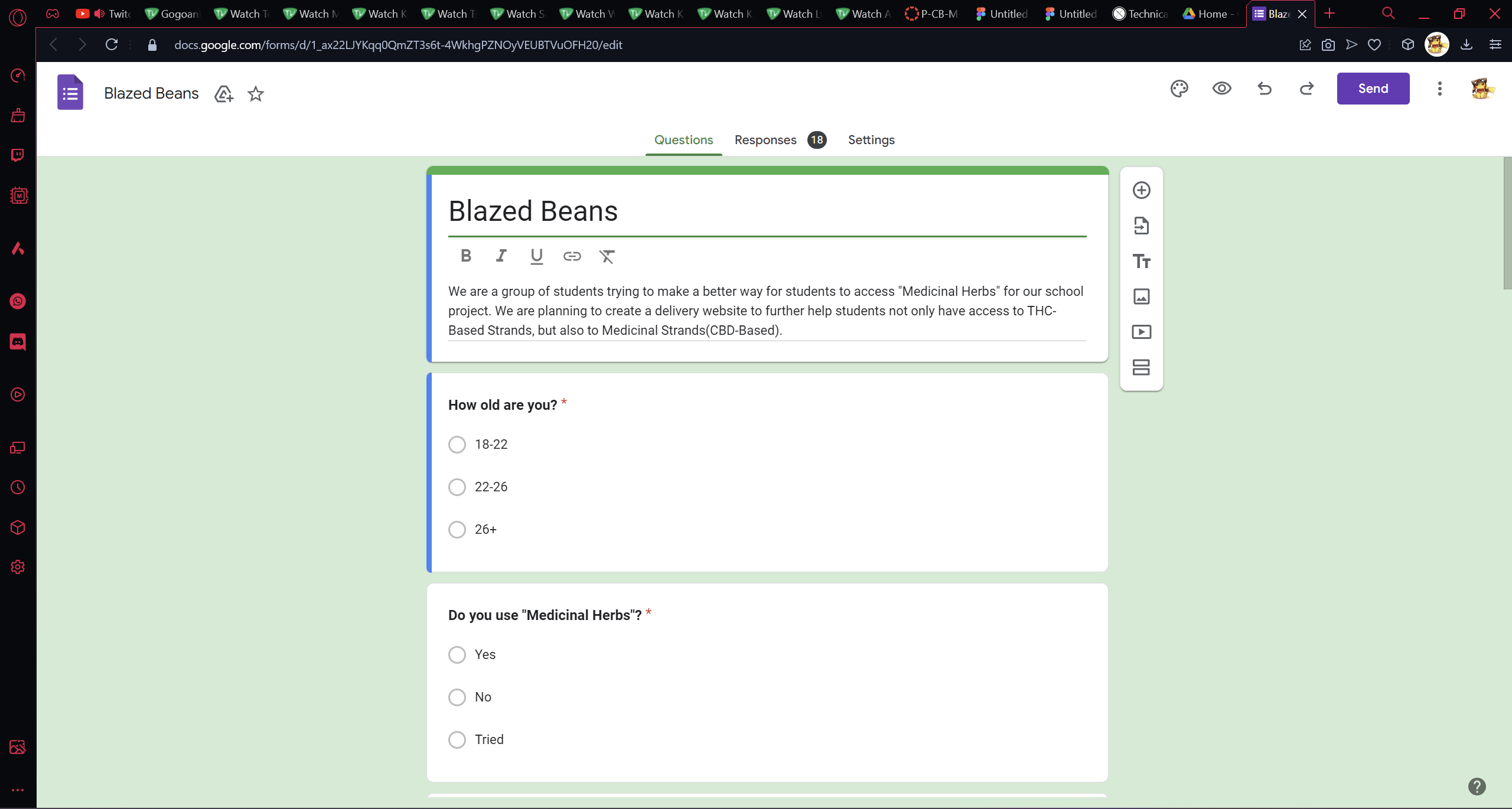
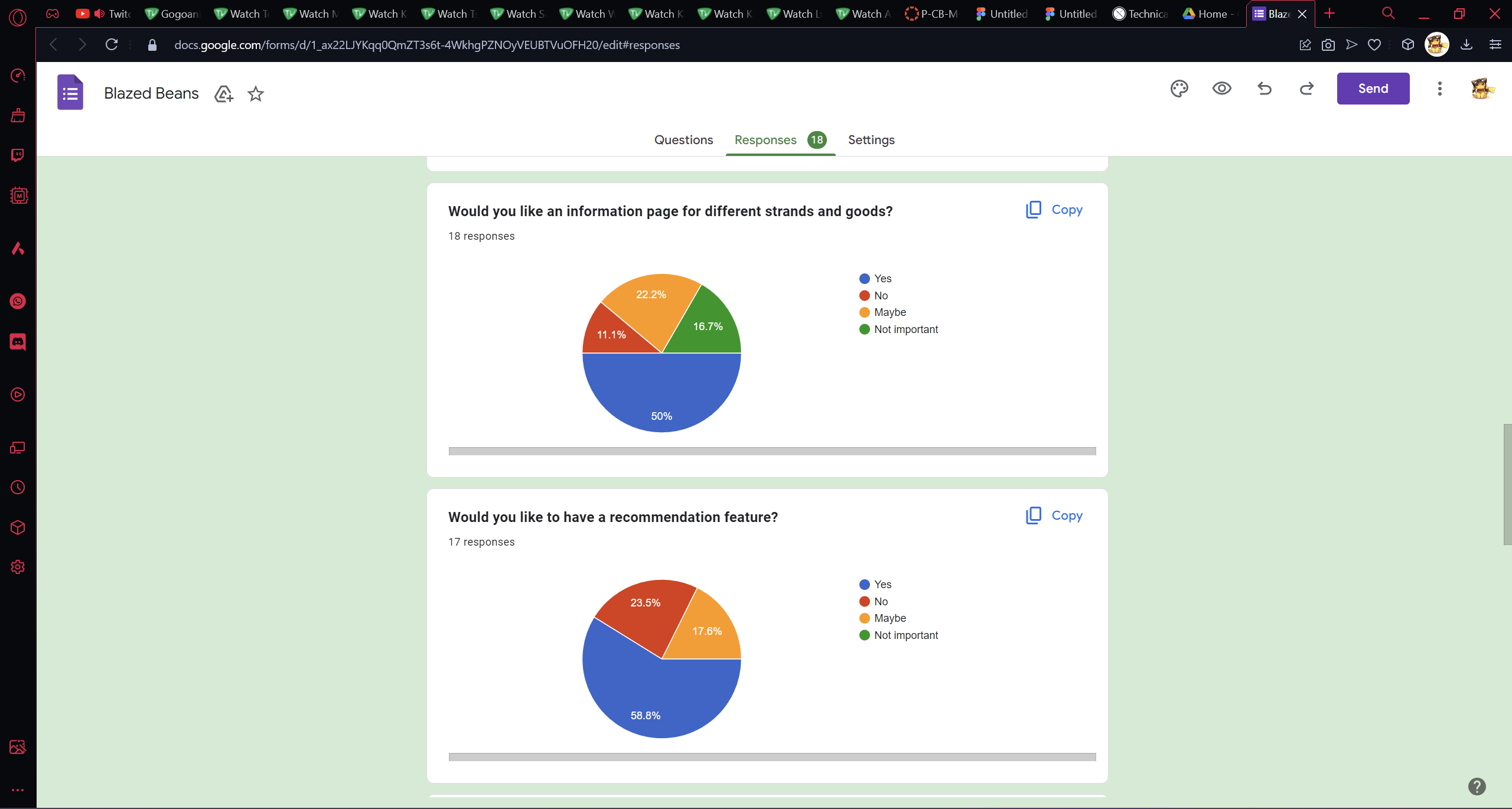
As it was a very niche topic that was picked for the group project we got feedback on how next time to pick a topic that is easier for students to relate to as it would be easier to get info on the target group.
I really liked the unique idea that we came up with for the group project but due to the target group being a really specific and niche one it was kind of difficult to get information on them at school.
Next time I would like to put more thought into the topic and how much work has to be done into doing the user research.